Have you tried /interface wireless scan 0 It should show Hamwan results unless you have an error in your config. Most people are jealous of your Line of sight. This setup is going to work great for you. You are almost there. Dylan Ambauen KI7SBI On Sat, Sep 11, 2021, 16:58 Paul Sundquist <psundquist@foxhill.org> wrote:
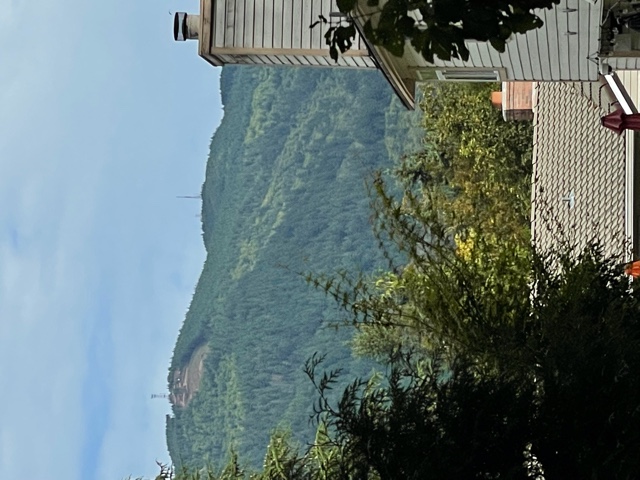
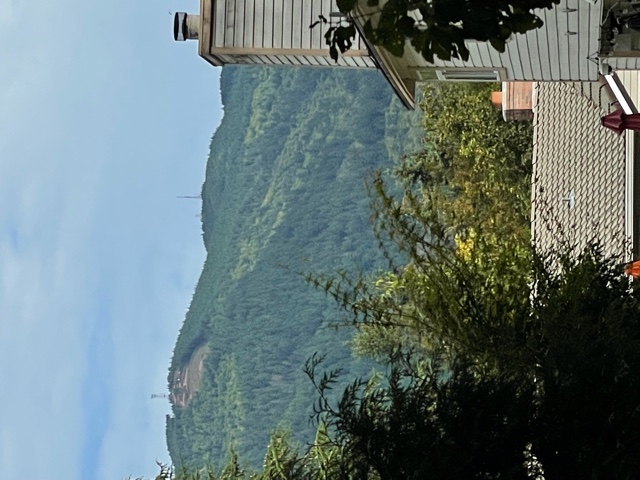
New install on Squak Mountain Issaquah and unable to find any signal on Tiger Mountain. I’m 3.5 miles away west and a little north of the tower on Tiger. Clear line of sight. Please validate with the tower picture attached.
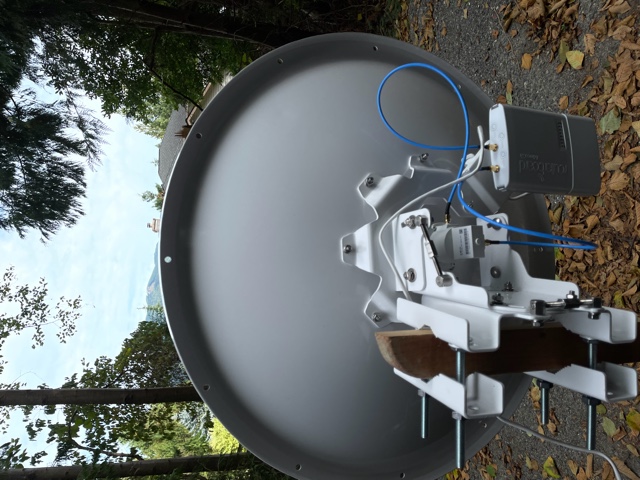
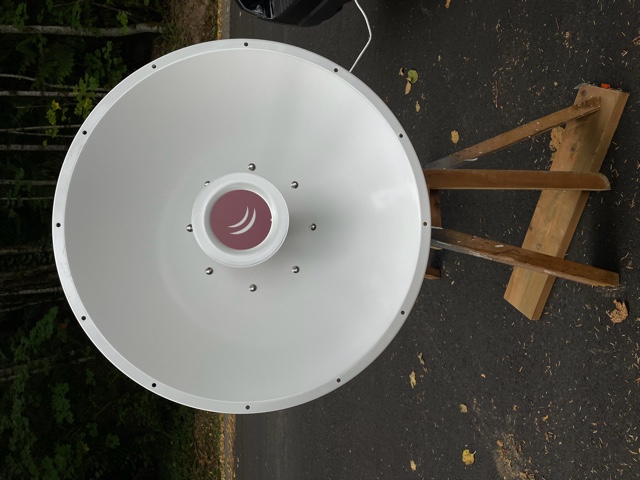
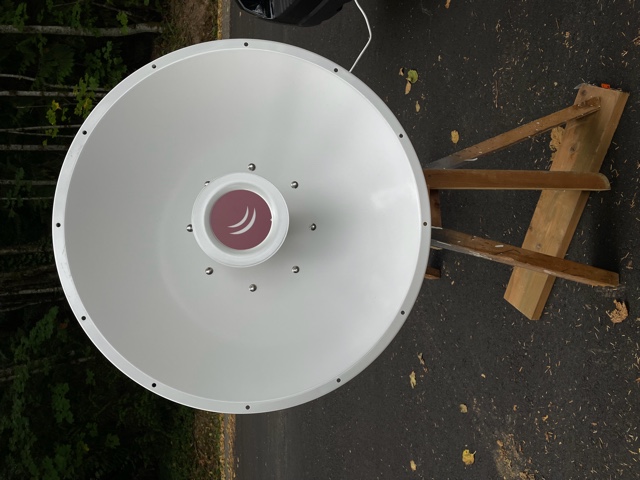
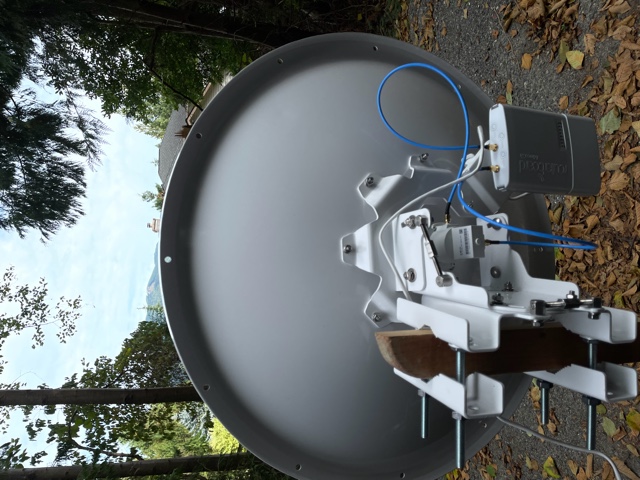
Installed the following: MikroTik mANT30 PA parabolic dish antenna 5GHz 30dBi MTAD-5G-30D3-PA Mikrotik BaseBox 5 RB912UAG-5HPnD-OUT 5GHz Outdoor Wireless AP Gigabit USB OSL4
Questions: Q1) Is the antenna tower on the right in the picture the right site? Q2) Is the dish assembled correctly? See picture. Q3) I was watching the signal strength on the routerboard while running "/interface wireless scan 0”. Nothing showed up on the terminal session and no signal strength LED’s lit up. I moved it left to right and adjusted azimuth each time I stopped. Q4) How long should you wait to acquire the signal between each time you move it? Q5) Is there anything like the signal strength tones aiming a DirecTV dish? Q6) Any other ideas. My exported configuration is below and I’ve successfully completed every step listed here: https://hamwan.org/Standards/Network%20Engineering/Client%20Node%20Configura...
Thanks for your help! -Paul KK7AMW
[admin@KK7AMW-Issaquah] > export # sep/08/2021 16:57:46 by RouterOS 6.48.4 # software id = H1Z0-P9F3 # # model = 912UAG-5HPnD
/interface wireless set [ find default-name=wlan1 ] band=5ghz-onlyn country=no_country_set disabled=no frequency-mode=superchannel radio-name=KK7AMW/Issaquah-Tiger scan-list=HamWAN ssid=HamWAN \ wireless-protocol=nv2 /interface list add name=WAN add name=LAN /interface wireless channels add band=5ghz-onlyn comment="Cell sites radiate this at 0 degrees (north)" frequency=5920 list=HamWAN name=Sector1-5 width=5 add band=5ghz-onlyn comment="Cell sites radiate this at 120 degrees (south-east)" frequency=5900 list=HamWAN name=Sector2-5 width=5 add band=5ghz-onlyn comment="Cell sites radiate this at 240 degrees (south-west)" frequency=5880 list=HamWAN name=Sector3-5 width=5 add band=5ghz-onlyn comment="Cell sites radiate this at 0 degrees (north)" frequency=5920 list=HamWAN name=Sector1-10 width=10 add band=5ghz-onlyn comment="Cell sites radiate this at 120 degrees (south-east)" frequency=5900 list=HamWAN name=Sector2-10 width=10 add band=5ghz-onlyn comment="Cell sites radiate this at 240 degrees (south-west)" frequency=5880 list=HamWAN name=Sector3-10 width=10 /interface wireless security-profiles set [ find default=yes ] supplicant-identity=MikroTik /snmp community set [ find default=yes ] addresses=44.24.240.0/20 name=hamwan /system logging action set 3 remote=44.24.244.8 /interface list member add interface=wlan1 list=WAN add list=LAN /ip address add address=192.168.86.53/24 interface=ether1 network=192.168.86.0 /ip dhcp-client add disabled=no interface=wlan1 /ip dns set servers=192.168.86.9 /ip firewall mangle add action=change-mss chain=output new-mss=1378 protocol=tcp tcp-flags=syn tcp-mss=!0-1378 add action=change-mss chain=forward new-mss=1378 protocol=tcp tcp-flags=syn tcp-mss=!0-1378 /ip route add distance=1 gateway=192.168.86.1 /ip service set telnet disabled=yes set ftp disabled=yes set www disabled=yes set ssh port=222 set api disabled=yes set api-ssl disabled=yes /snmp set contact="#HamWAN-Support on irc.freenode.org" enabled=yes location=47.516944,-122.0452 /system clock set time-zone-name=America/Los_Angeles /system identity set name=KK7AMW-Issaquah /system logging add action=remote topics=info add action=remote topics=warning add action=remote topics=error /system ntp client set enabled=yes primary-ntp=44.24.244.4 secondary-ntp=44.24.245.4 /system routerboard settings set boot-device=try-ethernet-once-then-nand [admin@KK7AMW-Issaquah] >
_______________________________________________ PSDR mailing list PSDR@hamwan.org http://mail.hamwan.net/mailman/listinfo/psdr