Connecting to a new tower

Looking for some guidance. I have been connected to Gold Mountain from my house for about a year, and I have okay coverage. I have a Dynadish 5, which has five built-in LEDs to indicate connection strength. At home, I get one or two LEDs to light up, and I'm able to make calls over Hamwan with a VOIP phone. Today, I took my Dynadish portable, and set it up with good line of site to Paine, Westin, and Beacon. I had all five LEDs lit up when I aimed at Beacon. I had hoped to be able to plug in my VOIP phone and make a test call, but the phone got stuck at "Initializing DNS," regardless of which site I tried. Took it all back home, set it up the same way on my roof, and was talking on the phone in under a minute. My assumption is that I need to re-initialize the Dynadish 5 when I change connection sites. Is this correct? If so, is there an easy way to switch over from one to another, or do I need to open up Winbox and follow the instructions in the "Connect" phase of Client Node Configuration? Or do I need to do something else? I'd like to be able to move from site to site without complications. Any advice/ideas are appreciated. -Lionel K7BIX Hamshack Hotline#: 5670

There is no simple answer to give for whatever may have gone wrong here. You need to understand IP networking if you're trying to troubleshoot networking problems. It sounds like the RF side of things worked well at least. Did the modem DHCP an IP successfully? Is your modem bridging or NAT-routing the phone? Was a default route setup and reachable? What was traceroute saying? etc... Perhaps someone can recommend some basic networking tutorials for hams here. --Bart On 9/12/2021 10:47 AM, lionelhlvrsn@gmail.com wrote:
Looking for some guidance.
I have been connected to Gold Mountain from my house for about a year, and I have okay coverage. I have a Dynadish 5, which has five built-in LEDs to indicate connection strength. At home, I get one or two LEDs to light up, and I’m able to make calls over Hamwan with a VOIP phone.
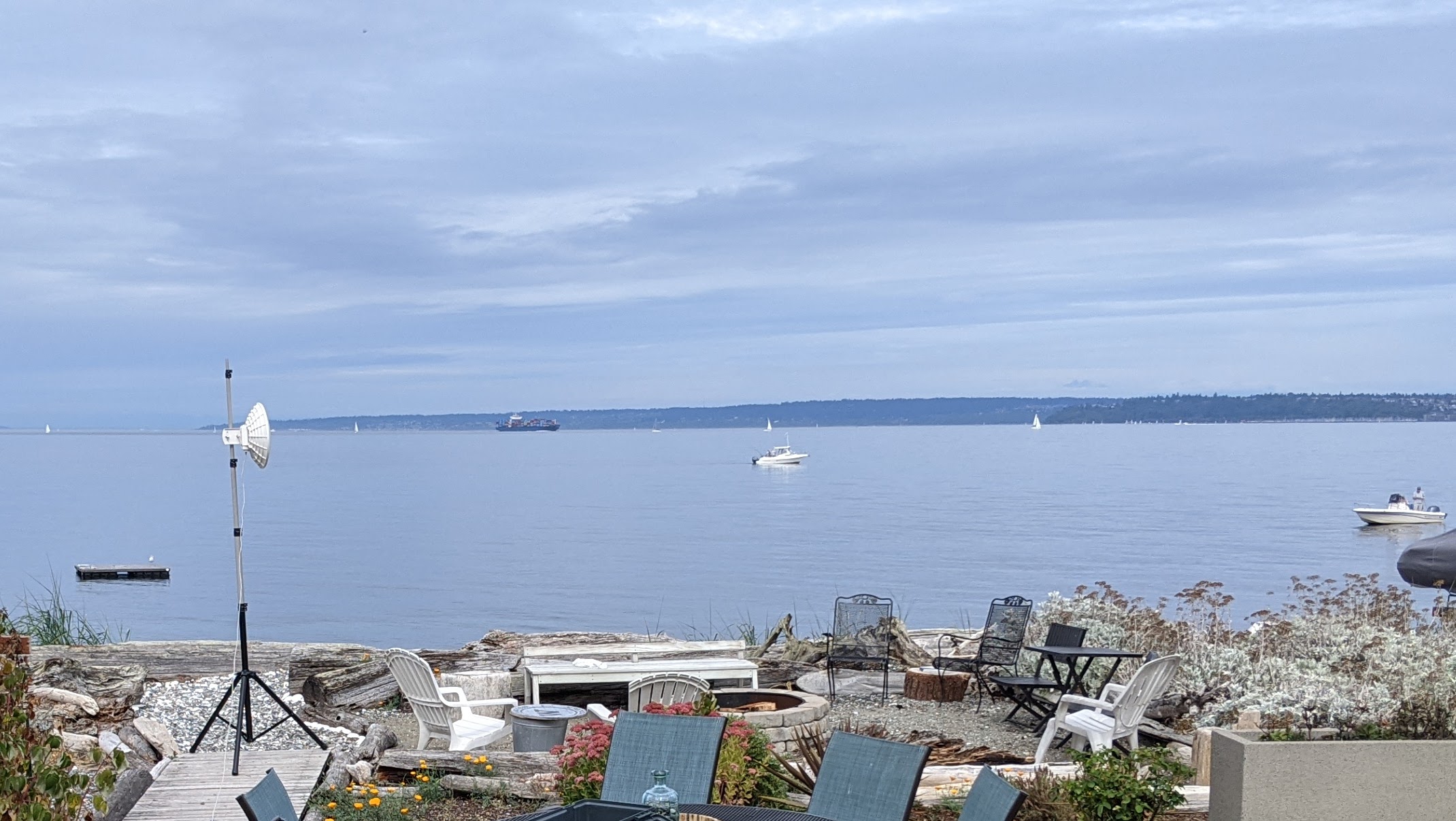
Today, I took my Dynadish portable, and set it up with good line of site to Paine, Westin, and Beacon. I had all five LEDs lit up when I aimed at Beacon. I had hoped to be able to plug in my VOIP phone and make a test call, but the phone got stuck at “Initializing DNS,” regardless of which site I tried.
Took it all back home, set it up the same way on my roof, and was talking on the phone in under a minute.
My assumption is that I need to re-initialize the Dynadish 5 when I change connection sites. Is this correct? If so, is there an easy way to switch over from one to another, or do I need to open up Winbox and follow the instructions in the “Connect” phase of Client Node Configuration? Or do I need to do something else? I’d like to be able to move from site to site without complications.
Any advice/ideas are appreciated.
*/-Lionel/*
K7BIX
Hamshack Hotline#: 5670
_______________________________________________ PSDR mailing list PSDR@hamwan.org http://mail.hamwan.net/mailman/listinfo/psdr
Thanks for the quick response. I didn't connect a laptop, and I didn't analyze the situation. I will next time. Reading between the lines, it sounds like you're saying it should have simply worked and I should not need to do anything special when I connect to a new tower. Is that correct? -Lionel From: Bart Kus <me@bartk.us> Sent: Sunday, September 12, 2021 11:07 AM To: Puget Sound Data Ring <psdr@hamwan.org>; lionelhlvrsn@gmail.com Subject: Re: [HamWAN PSDR] Connecting to a new tower There is no simple answer to give for whatever may have gone wrong here. You need to understand IP networking if you're trying to troubleshoot networking problems. It sounds like the RF side of things worked well at least. Did the modem DHCP an IP successfully? Is your modem bridging or NAT-routing the phone? Was a default route setup and reachable? What was traceroute saying? etc... Perhaps someone can recommend some basic networking tutorials for hams here. --Bart On 9/12/2021 10:47 AM, lionelhlvrsn@gmail.com <mailto:lionelhlvrsn@gmail.com> wrote: Looking for some guidance. I have been connected to Gold Mountain from my house for about a year, and I have okay coverage. I have a Dynadish 5, which has five built-in LEDs to indicate connection strength. At home, I get one or two LEDs to light up, and I'm able to make calls over Hamwan with a VOIP phone. Today, I took my Dynadish portable, and set it up with good line of site to Paine, Westin, and Beacon. I had all five LEDs lit up when I aimed at Beacon. I had hoped to be able to plug in my VOIP phone and make a test call, but the phone got stuck at "Initializing DNS," regardless of which site I tried. Took it all back home, set it up the same way on my roof, and was talking on the phone in under a minute. My assumption is that I need to re-initialize the Dynadish 5 when I change connection sites. Is this correct? If so, is there an easy way to switch over from one to another, or do I need to open up Winbox and follow the instructions in the "Connect" phase of Client Node Configuration? Or do I need to do something else? I'd like to be able to move from site to site without complications. Any advice/ideas are appreciated. -Lionel K7BIX Hamshack Hotline#: 5670 _______________________________________________ PSDR mailing list PSDR@hamwan.org <mailto:PSDR@hamwan.org> http://mail.hamwan.net/mailman/listinfo/psdr
That is correct. The most action required may be refreshing a DHCP lease after connecting. --Bart On 9/12/2021 11:13 AM, lionelhlvrsn@gmail.com wrote:
Thanks for the quick response. I didn’t connect a laptop, and I didn’t analyze the situation. I will next time.
Reading between the lines, it sounds like you’re saying it should have simply worked and I should not need to do anything special when I connect to a new tower. Is that correct?
*/-Lionel/*
*From:* Bart Kus <me@bartk.us> *Sent:* Sunday, September 12, 2021 11:07 AM *To:* Puget Sound Data Ring <psdr@hamwan.org>; lionelhlvrsn@gmail.com *Subject:* Re: [HamWAN PSDR] Connecting to a new tower
There is no simple answer to give for whatever may have gone wrong here. You need to understand IP networking if you're trying to troubleshoot networking problems. It sounds like the RF side of things worked well at least.
Did the modem DHCP an IP successfully? Is your modem bridging or NAT-routing the phone? Was a default route setup and reachable? What was traceroute saying? etc...
Perhaps someone can recommend some basic networking tutorials for hams here.
--Bart
On 9/12/2021 10:47 AM, lionelhlvrsn@gmail.com <mailto:lionelhlvrsn@gmail.com> wrote:
Looking for some guidance.
I have been connected to Gold Mountain from my house for about a year, and I have okay coverage. I have a Dynadish 5, which has five built-in LEDs to indicate connection strength. At home, I get one or two LEDs to light up, and I’m able to make calls over Hamwan with a VOIP phone.
Today, I took my Dynadish portable, and set it up with good line of site to Paine, Westin, and Beacon. I had all five LEDs lit up when I aimed at Beacon. I had hoped to be able to plug in my VOIP phone and make a test call, but the phone got stuck at “Initializing DNS,” regardless of which site I tried.
Took it all back home, set it up the same way on my roof, and was talking on the phone in under a minute.
My assumption is that I need to re-initialize the Dynadish 5 when I change connection sites. Is this correct? If so, is there an easy way to switch over from one to another, or do I need to open up Winbox and follow the instructions in the “Connect” phase of Client Node Configuration? Or do I need to do something else? I’d like to be able to move from site to site without complications.
Any advice/ideas are appreciated.
*/-Lionel/*
K7BIX
Hamshack Hotline#: 5670
_______________________________________________
PSDR mailing list
PSDR@hamwan.org <mailto:PSDR@hamwan.org>
http://mail.hamwan.net/mailman/listinfo/psdr <http://mail.hamwan.net/mailman/listinfo/psdr>
Thanks! I will bring the laptop with me next time and try harder. Hopefully that's all they're is to it. -Lionel Sent from phone. Please excuse any typod On Sun, Sep 12, 2021, 11:16 Bart Kus <me@bartk.us> wrote:
That is correct. The most action required may be refreshing a DHCP lease after connecting.
--Bart
On 9/12/2021 11:13 AM, lionelhlvrsn@gmail.com wrote:
Thanks for the quick response. I didn’t connect a laptop, and I didn’t analyze the situation. I will next time.
Reading between the lines, it sounds like you’re saying it should have simply worked and I should not need to do anything special when I connect to a new tower. Is that correct?
*-Lionel*
*From:* Bart Kus <me@bartk.us> <me@bartk.us> *Sent:* Sunday, September 12, 2021 11:07 AM *To:* Puget Sound Data Ring <psdr@hamwan.org> <psdr@hamwan.org>; lionelhlvrsn@gmail.com *Subject:* Re: [HamWAN PSDR] Connecting to a new tower
There is no simple answer to give for whatever may have gone wrong here. You need to understand IP networking if you're trying to troubleshoot networking problems. It sounds like the RF side of things worked well at least.
Did the modem DHCP an IP successfully? Is your modem bridging or NAT-routing the phone? Was a default route setup and reachable? What was traceroute saying? etc...
Perhaps someone can recommend some basic networking tutorials for hams here.
--Bart
On 9/12/2021 10:47 AM, lionelhlvrsn@gmail.com wrote:
Looking for some guidance.
I have been connected to Gold Mountain from my house for about a year, and I have okay coverage. I have a Dynadish 5, which has five built-in LEDs to indicate connection strength. At home, I get one or two LEDs to light up, and I’m able to make calls over Hamwan with a VOIP phone.
Today, I took my Dynadish portable, and set it up with good line of site to Paine, Westin, and Beacon. I had all five LEDs lit up when I aimed at Beacon. I had hoped to be able to plug in my VOIP phone and make a test call, but the phone got stuck at “Initializing DNS,” regardless of which site I tried.
Took it all back home, set it up the same way on my roof, and was talking on the phone in under a minute.
My assumption is that I need to re-initialize the Dynadish 5 when I change connection sites. Is this correct? If so, is there an easy way to switch over from one to another, or do I need to open up Winbox and follow the instructions in the “Connect” phase of Client Node Configuration? Or do I need to do something else? I’d like to be able to move from site to site without complications.
Any advice/ideas are appreciated.
*-Lionel*
K7BIX
Hamshack Hotline#: 5670
_______________________________________________
PSDR mailing list
PSDR@hamwan.org
participants (3)
-
 Bart Kus
 -
 Lionel Halvorsen
 -
lionelhlvrsn@gmail.com